I am kind of a Techno Peasant when it comes to using technology... I am more of the in the garage, port & polish heads, build motors, lift jeeps kind of person. But after the Corps and before my current career I did spend about 10 years in technology, so i have some background in it. Because I am a TERRIBLE end user, I have a hard time using programs like TinkerCad, Fusion, ect. I tried a bunch and couldn't do shit.
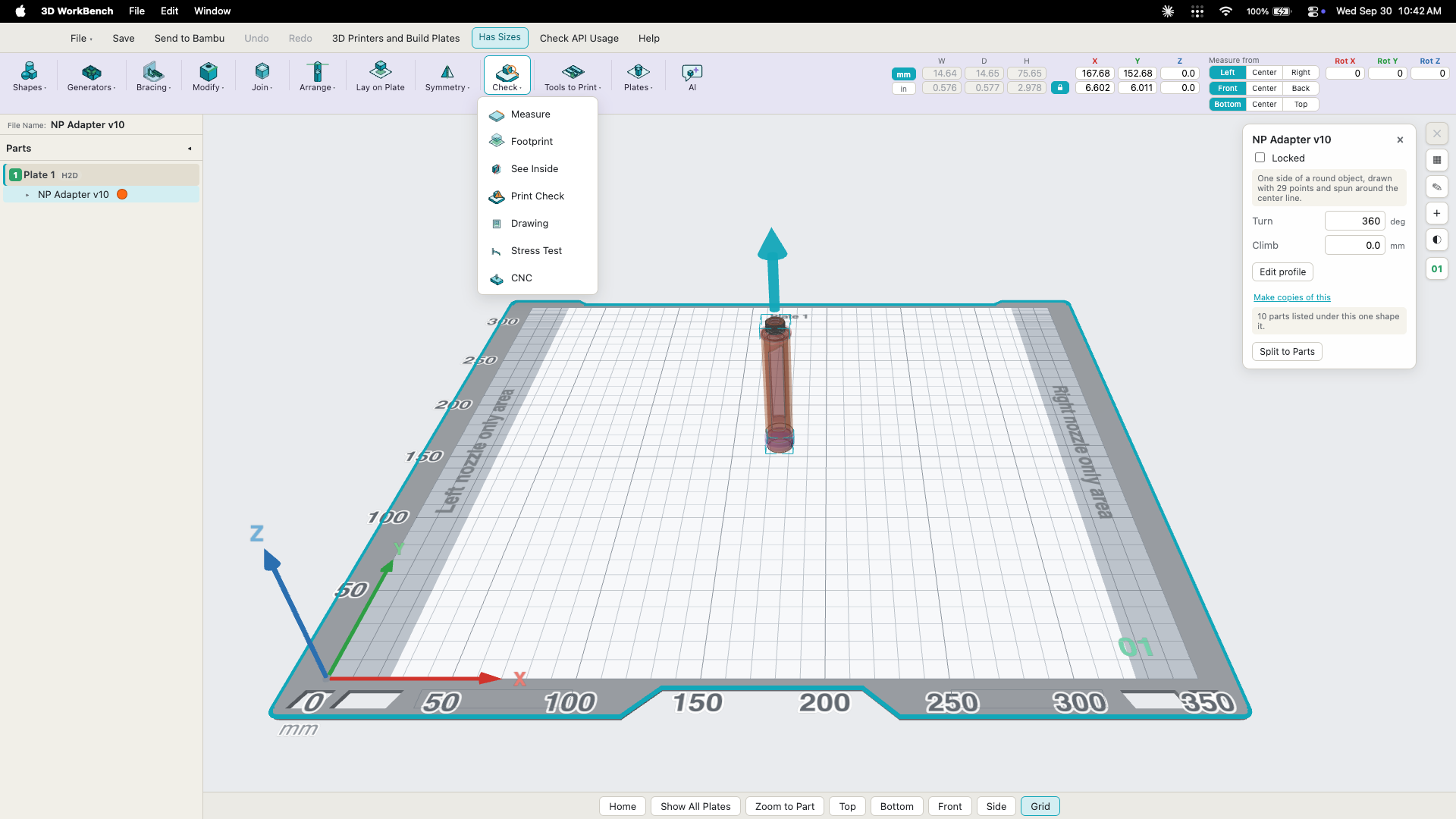
So I decided to design my own 3d CAD software, it works pretty good (I think). I put a lot of features in it. I put a lot of the same feature that fusion, TinkerCAD and a few other CAD programs have in them. I named everything what I thought would be the easiest for a beginner to figure out. *Note - Even though I designed the software, i am still not good at doing anything in it. i programmed my self designed ai to be able to work in the program and build me what I want.
I am looking for a few people that design a lot in CAD and want a software that they do not have to pay a monthly fee for. I need 1 or 2 people who have a MAC with an Apple Silicon chip in it and 1 windows 11 user to test the software to identify the bugs so I can fix them and to suggest new features and tools so I can add them to it. But I need people who are experienced in CAD design and do it a lot. The people that help will get all the updates and can have the software. I do not plan on selling the software. The MAC version had my Developer ID Certificate in it and is signed and notarized by Apple, so it will go in with no warnings or problems. I do not have a Microsoft Developer Certificate, so the person with the Windows computer will have to accept the warning Microsoft gives you when installing unsigned software. I built this software, it is not someone else with changes to their code, it is mine, so I know the code is clean and doesn't have any malicious stuff in it.
If you are interested in helping, DM me.... Here are some screenshots showing some of the tools and layout. It can export to stl, 3mf, step, obj, svg and like fusion you can pick the resolution it exports at. I put a bunch of Generators in it to make vial boxes and stuff like that (Those are about the only things I can do with it on my own, without my ai doing it for me)
[image: 1790780990181-3dwb_1.png] [image: 1790780990261-3dwb_2.png] [image: 1790780990347-3dwb_3.png] [image: 1790780990430-3dwb_4.png] [image: 1790780990517-3dwb_5.png] [image: 1790780990610-3dwb_6.png]